
TP-Link EAP110 Wi-Fi Access Point Installation — Thalpe | Budget-Friendly Wi-Fi Coverage
TP-Link EAP110 Wi-Fi Access Point Installation — Thalpe, Galle District
Our team completed a brand-new Wi-Fi network installation at a three-storey property in Thalpe — 3 × TP-Link EAP110 ceiling-mount wireless access points, one per floor, connected through a 5-port gigabit switch, running on the customer's SLTMOBITEL fibre broadband for fast, stable, floor-by-floor wireless coverage at a budget-friendly price point.
About This Wi-Fi Access Point Installation Project
When a customer in Thalpe reached out to US Layer, the requirement was straightforward: a complete, new Wi-Fi installation from scratch — the property had no wireless network at all. The building is a three-storey structure, and the customer needed reliable Wi-Fi on every floor without spending on enterprise-grade hardware.
After assessing the building layout, floor-to-floor construction, and the SLTMOBITEL fibre entry point, our team recommended deploying one TP-Link EAP110 access point per floor — a proven, budget-friendly ceiling-mount wireless access point that delivers clean 300 Mbps 2.4 GHz coverage across a full floor area. Three units, one on each floor, wired back through a central gigabit switch, gave the customer complete coverage from ground floor to top floor in a single clean installation.
Thalpe is a coastal locality in the Galle District, Southern Province of Sri Lanka, situated approximately 8 km east of Galle city along the Southern Expressway corridor. The area has seen rapid residential and commercial development, and with SLTMOBITEL fibre broadband now available across much of the area, new multi-floor builds are increasingly opting for structured Wi-Fi installations from day one rather than attempting to cover multiple storeys with a single router.
Why One AP Per Floor Is the Right Approach for Multi-Storey Buildings
For a three-storey building, placing a single router on one floor and hoping the signal reaches the others is a setup that never works well in practice. Concrete floor slabs — standard construction in Sri Lanka — block Wi-Fi signals heavily. A device on the top floor may connect to a ground-floor router with a signal too weak to stream video reliably, let alone support multiple simultaneous users.
The correct solution for multi-storey buildings is one wired access point per floor:
- Each AP is connected to the network via ethernet cable run through the building, eliminating the signal loss caused by floors and walls
- Every device on every floor gets a direct, clean radio link to the AP on its own floor — full signal strength at every level
- The 5-port gigabit switch acts as the central wired backbone, distributing the SLTMOBITEL fibre connection equally to all three EAP110 units
- Roaming between floors is seamless — a phone carried upstairs automatically hands off to the next floor’s AP with no manual switching
This is exactly the architecture we used at the Thalpe property: one SLTMOBITEL fibre connection → one gigabit switch → one EAP110 per floor. Simple, reliable, and correctly sized for the building from day one.
The full installation scope included:
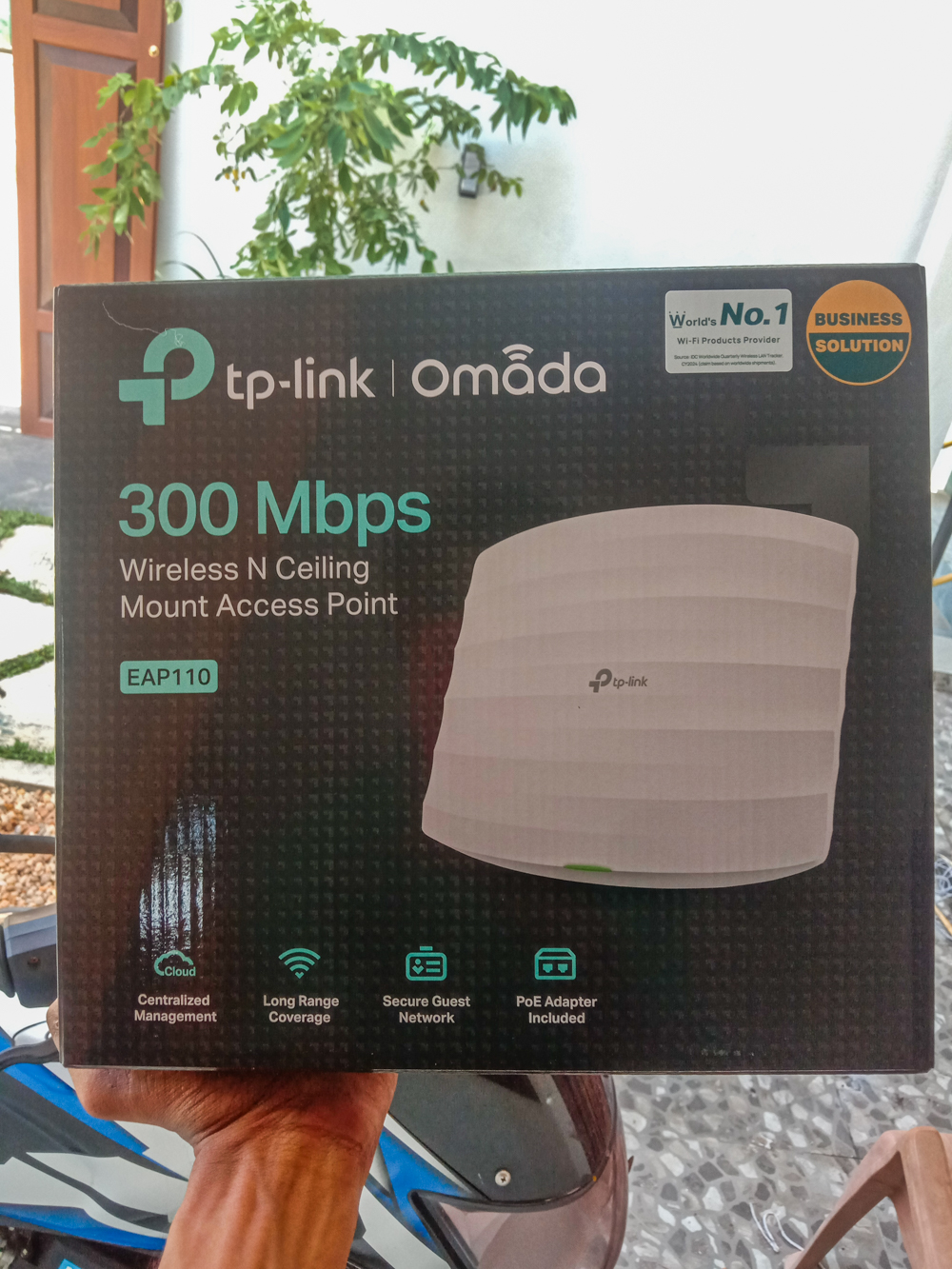
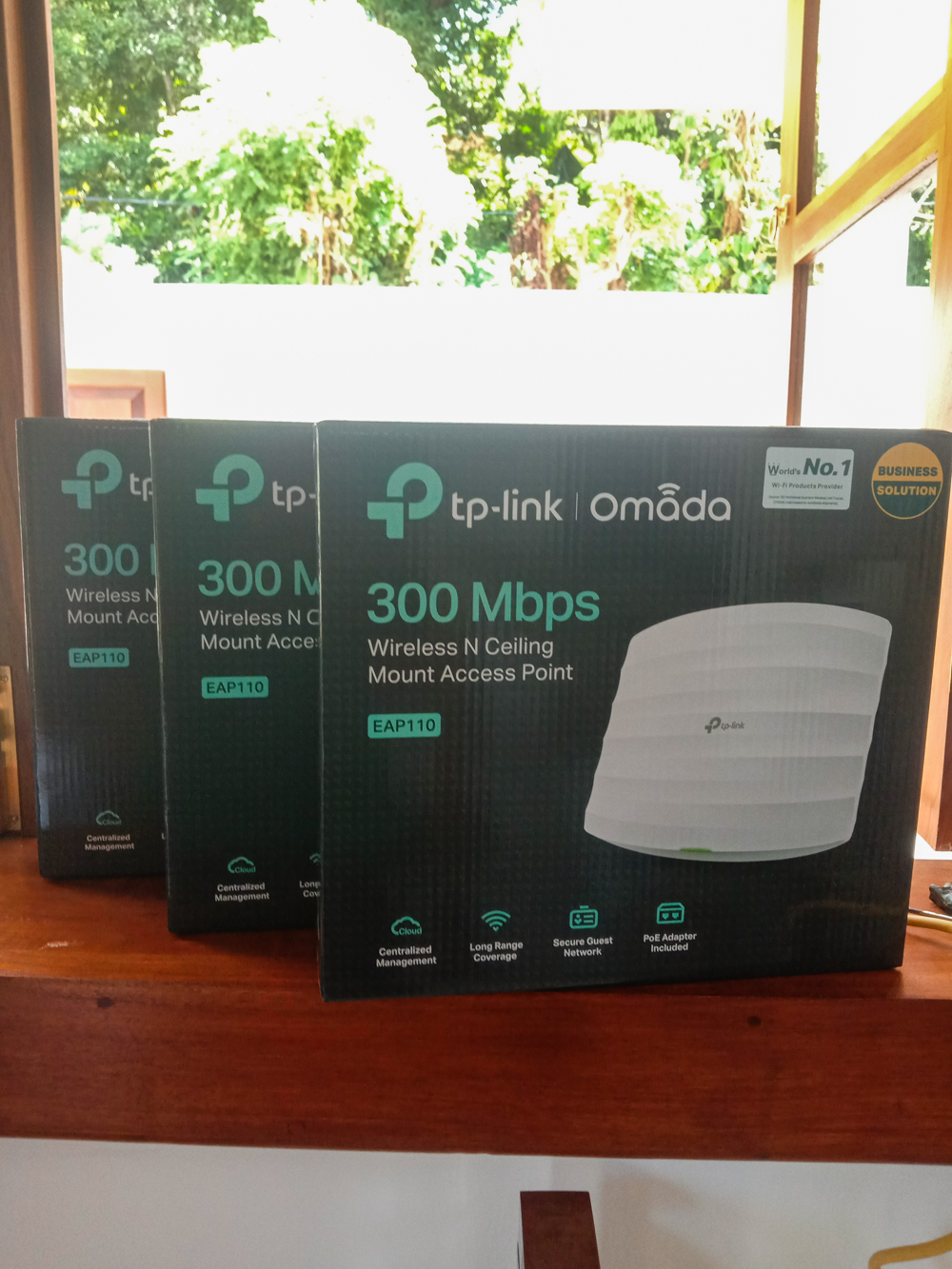
- 3 × TP-Link EAP110 300 Mbps 2.4 GHz ceiling-mount wireless access points — one on each floor
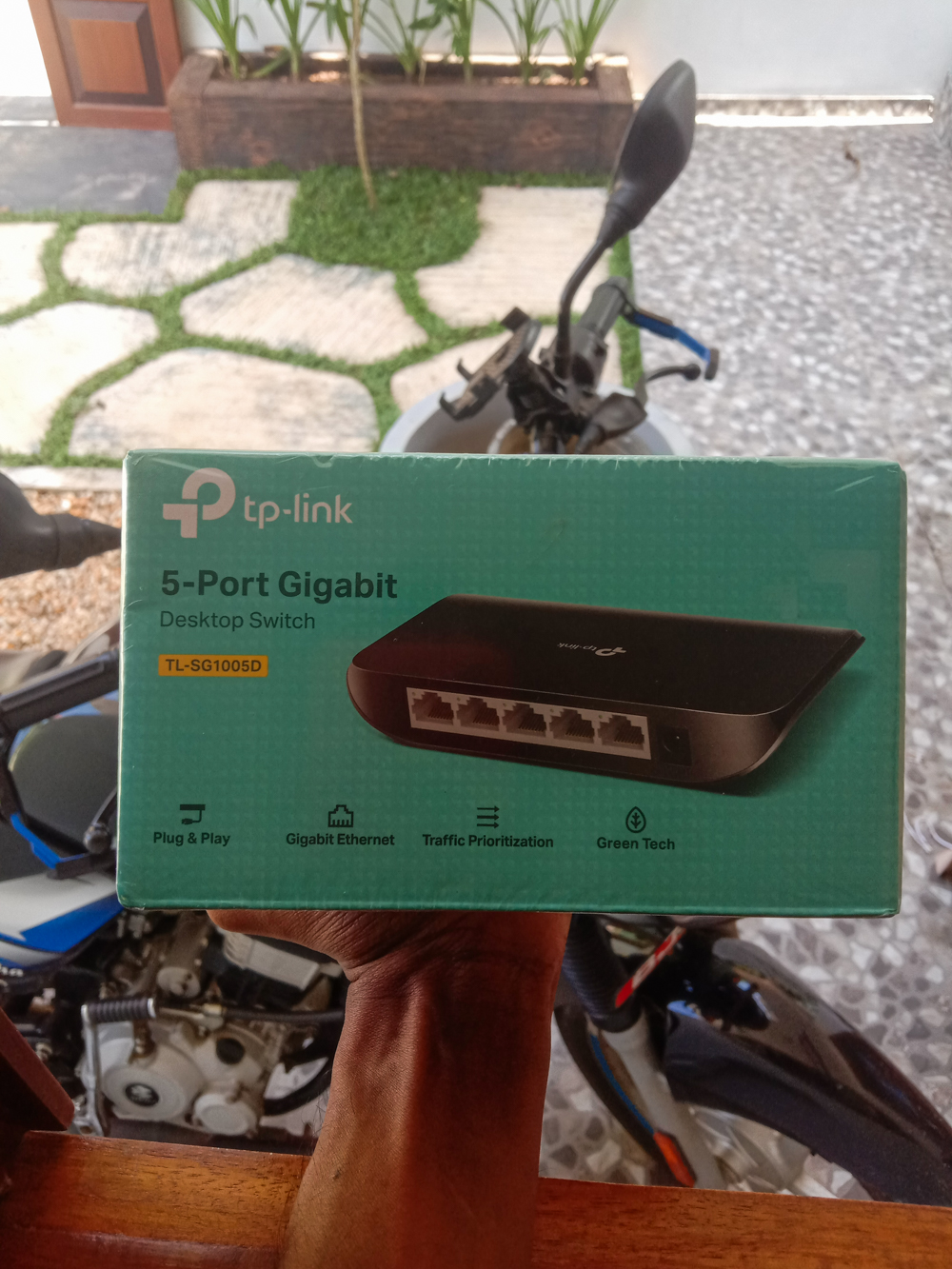
- 1 × 5-port gigabit switch for wired AP backhaul distribution
- Cat6 ethernet cable runs from switch to each floor’s AP mounting position
- SLTMOBITEL fibre ONT integration
- Wireless channel and SSID configuration for seamless inter-floor roaming across all three APs
Installation Gallery
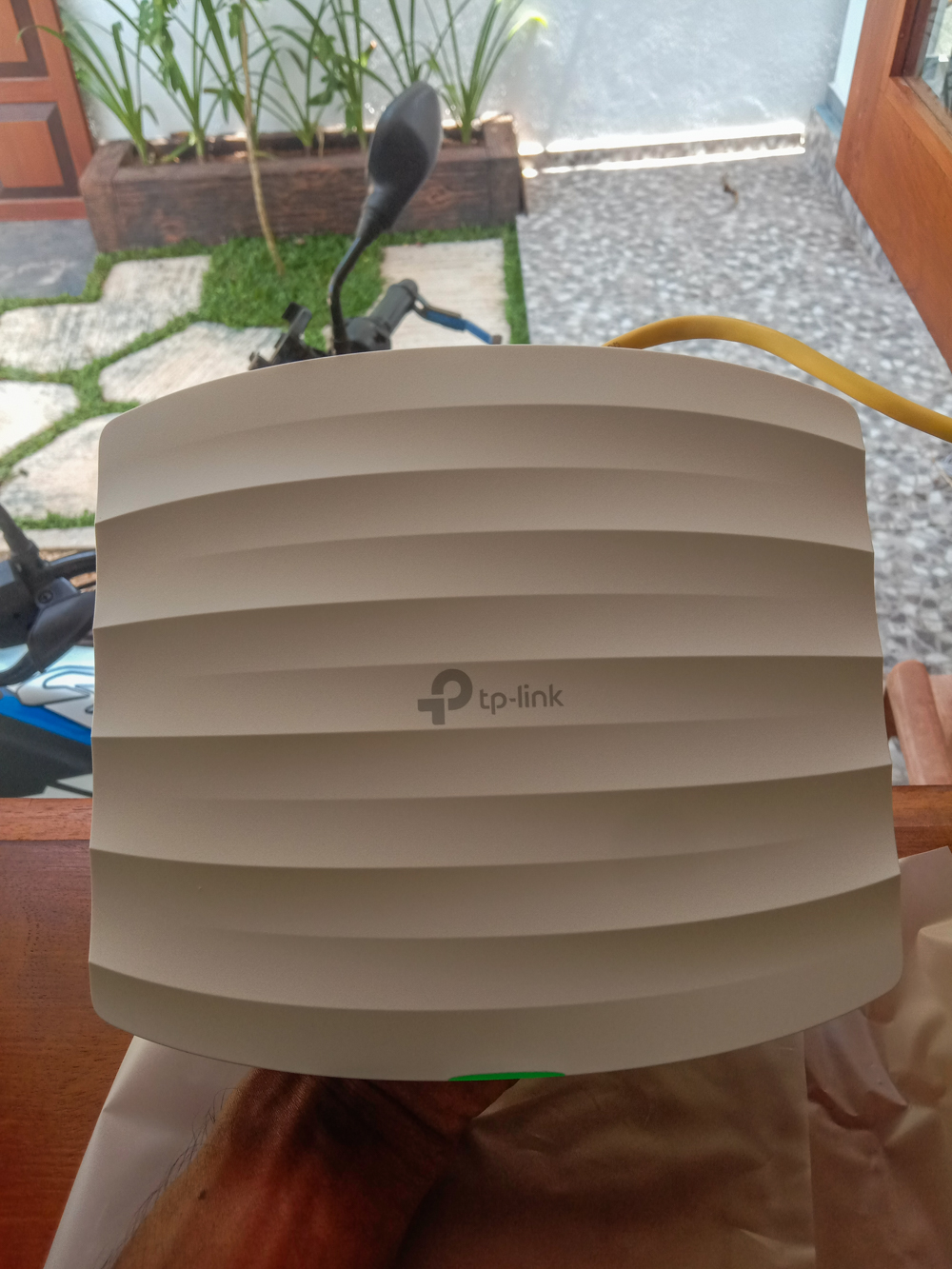
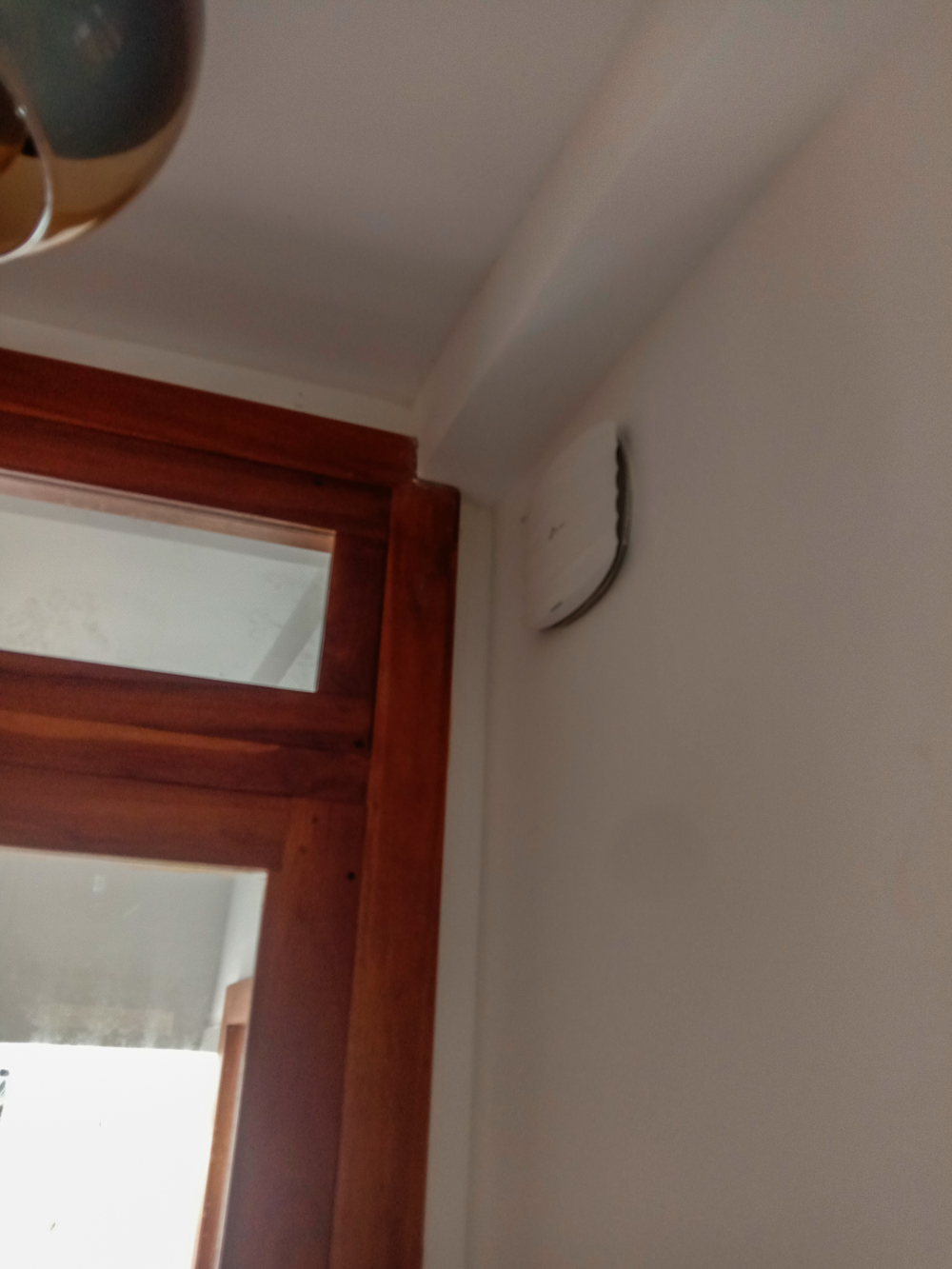
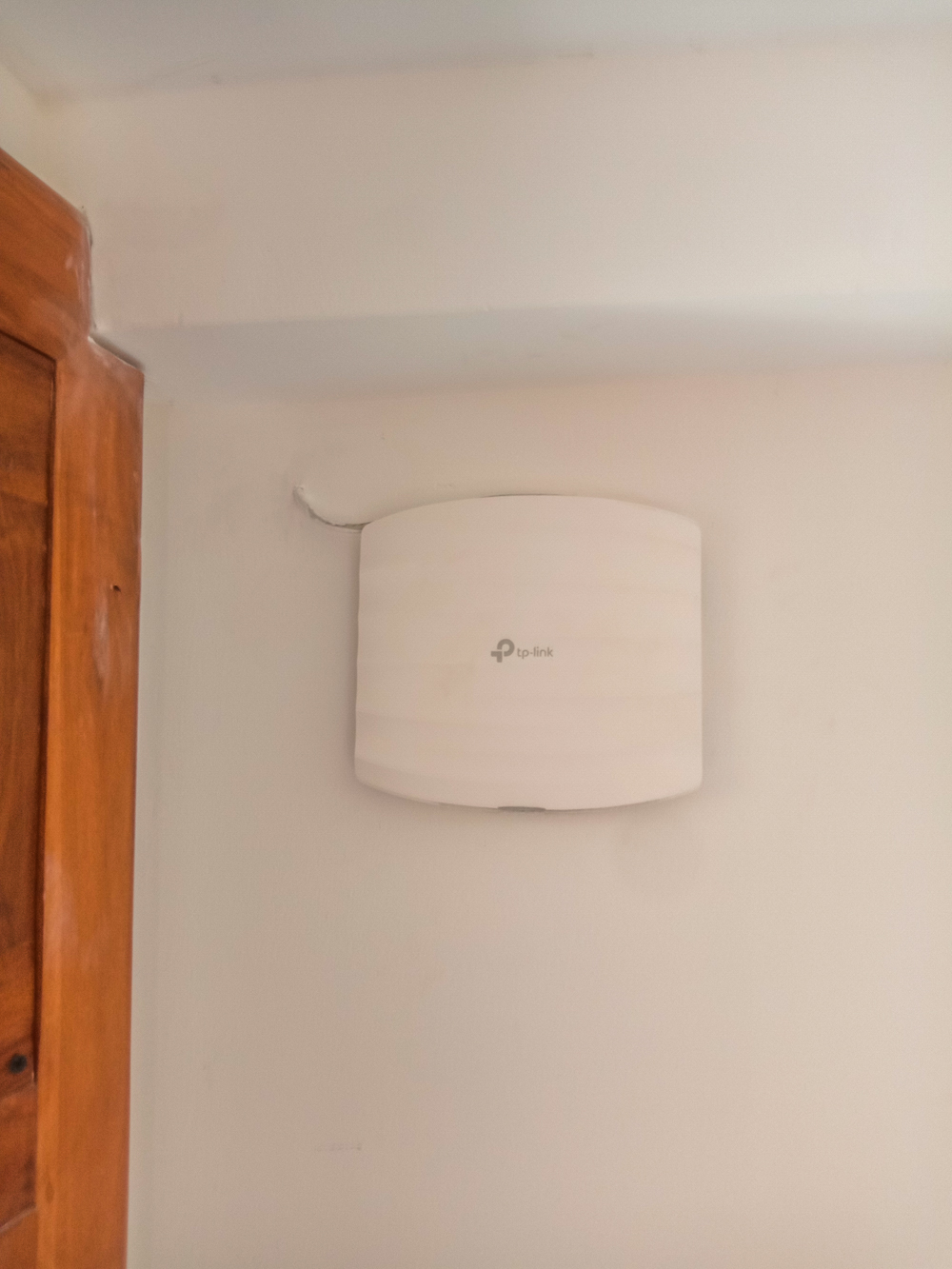
A look at the complete Thalpe access point installation — a brand-new Wi-Fi network built from scratch across three floors, from the gigabit switch and fibre ONT setup through to each ceiling-mounted EAP110 unit on its respective floor.
Why We Chose the TP-Link EAP110 for This Project
When a customer’s primary requirement is full-premise Wi-Fi coverage at a reasonable budget, the TP-Link EAP110 is one of the most reliable choices in its class. It is not a premium enterprise AP — it is a purpose-built, no-frills ceiling-mount access point that does its one job extremely well: delivering consistent 2.4 GHz wireless coverage across a defined area.
For this Thalpe property where the priority was eliminating dead zones rather than achieving multi-gigabit throughput, three EAP110 units provided exactly the right balance of performance and cost.
TP-Link EAP110 vs. Wi-Fi Repeaters / Range Extenders
Many customers first consider buying a range extender or Wi-Fi repeater to fix dead zones — they’re cheap, and the concept seems simple. In practice, repeaters introduce a fundamental problem that wired access points do not.
| Factor | TP-Link EAP110 (Wired AP) | Wi-Fi Repeater / Extender |
|---|---|---|
| Backhaul | Wired ethernet (full speed) | Wireless (50% bandwidth loss per hop) |
| Latency | Low — direct wired connection | Higher — double wireless hop |
| Reliability | High — stable ethernet link | Variable — interference affects backhaul |
| Roaming | Seamless (same SSID, same channel) | Often creates a separate SSID |
| Speed at client | Full available bandwidth | Typically 50% or less of router speed |
| Installation | Requires cable run to each AP | No cable needed |
| Recommended for | Permanent installations | Temporary, small areas only |
For the Thalpe property — a permanent residence where running ethernet cable was feasible — three wired EAP110 access points were the correct solution. The customer gets full SLTMOBITEL fibre speed at every connected device, regardless of which part of the building they are in.
The Role of the 5-Port Gigabit Switch
The 5-port gigabit switch is the quiet backbone of this installation. Every wired device — the SLTMOBITEL fibre ONT, all three EAP110 access points, and any wired computers or smart TVs — connects back to the switch through dedicated ethernet cable.
Why gigabit? SLTMOBITEL fibre broadband in Sri Lanka can deliver speeds of 100 Mbps to 1 Gbps depending on the subscribed package. A gigabit switch ensures the LAN infrastructure is never the bottleneck — every ethernet port operates at up to 1000 Mbps, and all three EAP110 APs receive their full share of the internet bandwidth without contention.
- Port 1: SLTMOBITEL fibre ONT (WAN source)
- Port 2: Ethernet run to EAP110 — Ground Floor
- Port 3: Ethernet run to EAP110 — First Floor
- Port 4: Ethernet run to EAP110 — Second Floor
- Port 5: Available for a wired device (PC, NVR, smart TV, etc.)
This architecture means the three EAP110 units are not sharing a single wireless backhaul link — each has its own dedicated gigabit ethernet connection back to the fibre source. The result is consistent, high-throughput wireless performance at every AP location simultaneously.
Our Wi-Fi Access Point Installation Process
Every structured Wi-Fi installation by US Layer follows a clear, methodical process designed to deliver a network that performs reliably from day one.
1. Site Survey & Coverage Planning
We walk the full property to understand the floor plan, wall and floor construction materials, ceiling heights, and the location of the SLTMOBITEL fibre ONT entry point. For this Thalpe new installation, we confirmed that one EAP110 per floor, ceiling-mounted at a central position on each level, would provide complete coverage across all three floors with no dead zones.
2. Cable Route Planning
Before drilling any holes, we plan the ethernet cable routes from the central switch location up through all three floors to each AP mounting position. On a new build or newly occupied property this is the ideal time to install — cable runs can be planned and concealed cleanly before furniture and finishing work is complete. We identify the best vertical routing path between floors and confirm the switch placement at the fibre ONT entry point.
3. Ethernet Cable Installation
We pull Cat6 ethernet cable from the switch location to each of the three AP positions. Cables are routed cleanly, secured with cable clips, and terminated with RJ45 connectors at both ends. Each run is tested for continuity and speed before the APs are mounted.
4. Switch & Fibre ONT Integration
The 5-port gigabit switch is installed at the cable entry point and connected to the SLTMOBITEL fibre ONT. Each ethernet run to an AP is plugged into the switch. We verify the switch is distributing the internet connection correctly before proceeding to AP configuration.
5. EAP110 Mounting & Power-Up
Each EAP110 is ceiling-mounted at its planned position using the included bracket. The ethernet cable is connected and the AP powered on. We confirm the AP’s LED status indicator shows a healthy connection before proceeding to configuration.
6. Wireless Configuration
Each EAP110 is configured via its web interface with:
- SSID and password matching across all three APs — so the customer’s devices see one unified network name throughout the building
- Channel assignment — each AP assigned a non-overlapping 2.4 GHz channel (1, 6, 11) to prevent inter-AP interference
- Security mode set to WPA2-PSK for strong wireless encryption
- Transmit power adjusted to the appropriate level for the coverage zone
7. Roaming Test & Speed Verification
We walk the full property with a smartphone, confirming seamless handoff between APs with no dropped connection. We run a speed test at each AP zone to verify the full SLTMOBITEL fibre speed is available at every wireless client location.
8. Final Handover
The customer receives the Wi-Fi network name and password, a brief walkthrough of the coverage map, and confirmation that all three APs are live and operational.
Wi-Fi Access Point Installation Service Areas — Galle District
US Layer designs and installs structured Wi-Fi networks using TP-Link EAP, Ubiquiti UniFi, and other access point platforms across the Galle District and Southern Province, including:
- Thalpe — residences, guesthouses, small offices, boutique hotels
- Galle City — commercial premises, schools, clinics, restaurants
- Unawatuna — villas, beachfront properties, holiday rentals
- Hikkaduwa, Ahangama, Koggala, Baddegama — residential and commercial properties throughout the southern coast
Whether you need budget-friendly access points like the EAP110 or a fully managed enterprise Wi-Fi system, US Layer can design and install the right solution for your space and budget. Contact us for a free site survey.
Frequently Asked Questions — Wi-Fi Access Point Installation in Thalpe
How many access points do I need for my property?As a general guide, one ceiling-mount AP covers approximately 50–80 m² of open floor area, or 30–50 m² in a building with concrete walls and internal partitions. For the average Sri Lankan house, two to three APs typically provide complete coverage. We always conduct a site survey before recommending a quantity.
Can I use the TP-Link EAP110 with any internet connection?Yes — the EAP110 is a wireless access point, not a router. It connects to your existing network via ethernet. It is compatible with SLTMOBITEL fibre, Dialog fibre, SLT ADSL, and any other broadband service that provides a standard ethernet LAN output.
Do I need a PoE switch or a PoE injector for the EAP110?The EAP110 supports passive PoE (24V), meaning it can be powered directly over ethernet if you use a compatible passive PoE injector or switch. For this Thalpe installation we used a standard switch with separate power adapters at each AP — both methods work reliably. Using PoE reduces the number of power sockets needed at each ceiling mount point.
Will all three APs use the same Wi-Fi name?Yes. We configure all three EAP110 units with the same SSID and password, so your phone, laptop, or tablet sees one single Wi-Fi network throughout the building. The device automatically associates with the nearest AP as you move around — no manual network switching needed.
Is SLTMOBITEL fibre fast enough for multiple access points?SLTMOBITEL fibre broadband is ideal for a multi-AP deployment. The service provides a stable ethernet connection at speeds from 25 Mbps up to 1 Gbps depending on the package. Because the switch and APs operate on a gigabit LAN, the full subscribed speed is available at every access point simultaneously — no sharing or speed reduction between APs.
Can I add more access points later?Yes. The 5-port gigabit switch used in this installation has one remaining free port, which can be used for a fourth AP or a wired device. If more ports are needed in future, upgrading to an 8-port switch is a straightforward expansion.
What is the warranty on TP-Link EAP110 access points?TP-Link provides a standard 24-month manufacturer warranty on EAP series access points.
Need Wi-Fi Access Point Installation in Thalpe or the Galle District?
Contact US Layer for a free site survey. We'll assess your property, recommend the right number and type of access points, and provide a no-obligation quote for a complete structured Wi-Fi installation.
TP-Link EAP110 Wi-Fi access point installation project completed by the US Layer technical team at a residential property in Thalpe, Galle District, Sri Lanka.