
IMOU Cruiser Dual 2 Wi-Fi Camera Installation in Unawatuna | Dual-Lens 3MP Full-Color Security
IMOU Cruiser Dual 2 Wi-Fi Camera Installation — Unawatuna, Galle District
Our team completed a smart Wi-Fi security camera installation at a residential property in Unawatuna — 2 × IMOU Cruiser Dual 2 dual-lens 3MP full-color Wi-Fi cameras powered by 12V UPS battery backup units, running on the customer's SLTMOBITEL fibre broadband for fast, stable wireless performance and round-the-clock smart surveillance.
About This Wi-Fi Camera Installation Project
Unawatuna is one of Sri Lanka’s most iconic coastal destinations — a thriving beachfront community in the Galle District, Southern Province, approximately 6 km south of Galle city. With growing tourism, villa rentals, and residential development, demand for smart, cable-free security systems has risen sharply across the area.
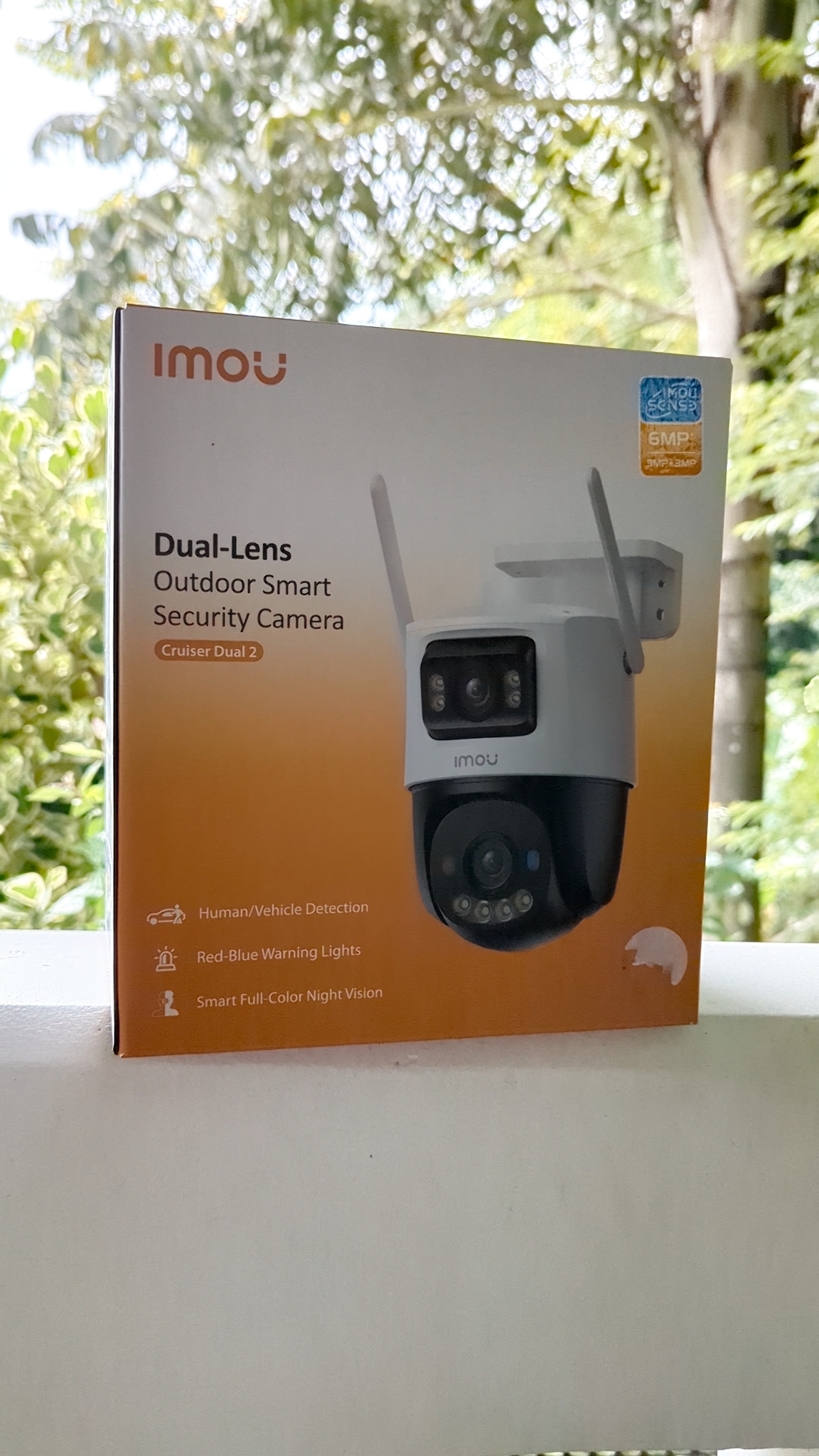
US Layer was contacted by a homeowner in Unawatuna who wanted a clean, wire-free security camera setup without the need to run coaxial cables through finished interior walls and ceiling spaces. After assessing the property and confirming the customer’s internet setup, our team recommended the IMOU Cruiser Dual 2 — a dual-lens outdoor Wi-Fi smart camera delivering 3MP+3MP simultaneous full-color coverage from a single device.
Why Internet Quality Matters for Wi-Fi Cameras
This is a critical point that many customers don’t know before purchasing: Wi-Fi security cameras are only as reliable as the internet connection they run on. Unlike wired analog systems that record locally to a DVR with no network dependency, Wi-Fi cameras stream video data continuously over your home network.
- Standard Wi-Fi 4 (802.11n) routers or old Cat5-based setups can become overloaded when multiple cameras are streaming simultaneously — causing video lag, dropped connections, and app disconnections.
- Fibre broadband provides consistent upload/download speeds and a stable 5 GHz Wi-Fi signal that Wi-Fi cameras depend on for uninterrupted performance.
- This customer had a SLTMOBITEL fibre connection — Sri Lanka Telecom Mobitel’s fibre-to-the-home (FTTH) service — making IMOU Wi-Fi cameras an ideal fit for this property.
The installation scope included:
- 2 × IMOU Cruiser Dual 2 dual-lens 3MP outdoor Wi-Fi smart cameras covering the front entrance and garden perimeter
- 12V DC UPS battery backup power supplies for each camera — keeping cameras online during short power outages
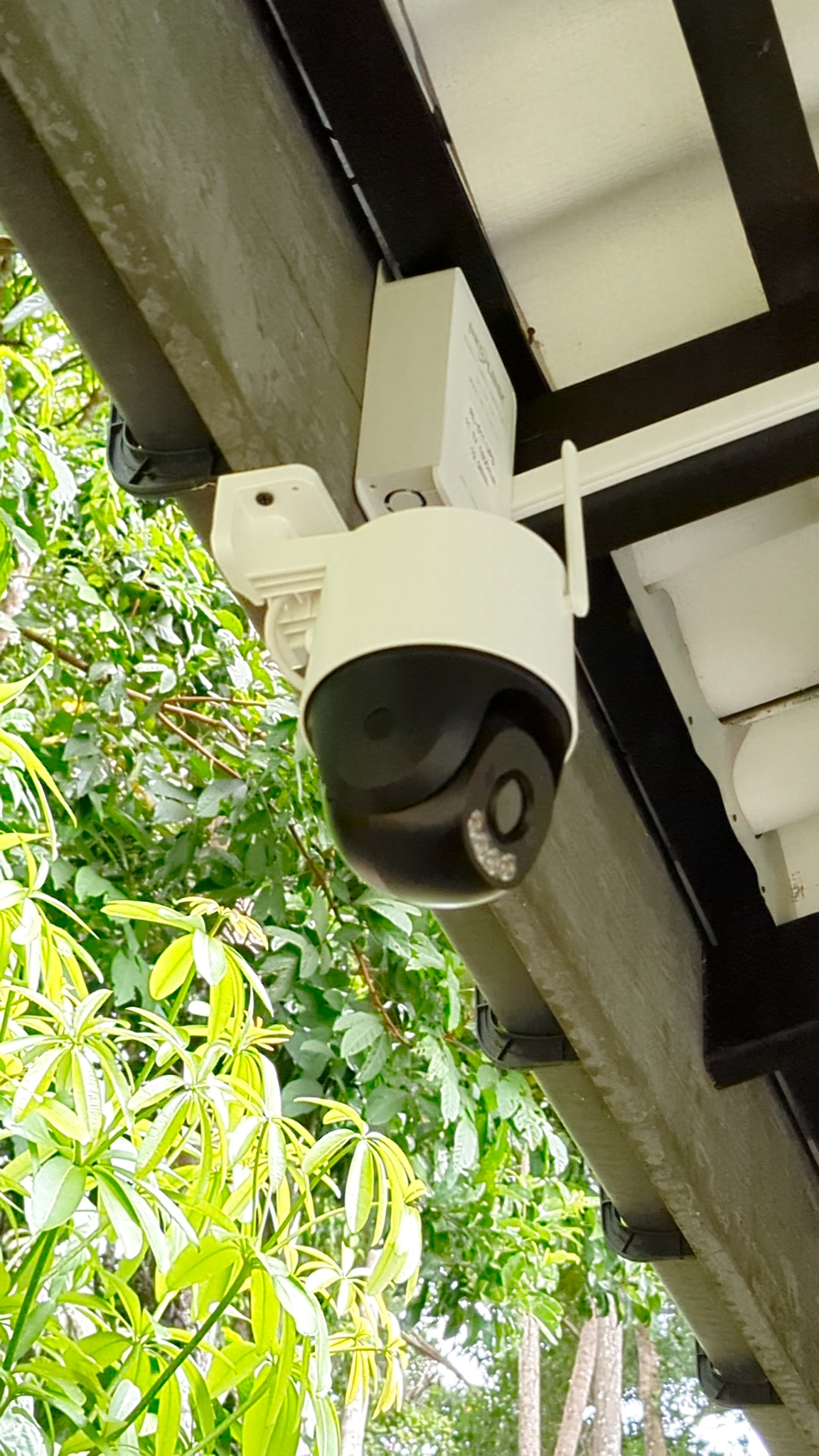
- Secure wall and eave mounting with clean cable management
- Full IMOU app setup with motion detection zones, human/vehicle detection, and remote live view configured on the customer’s smartphone
Installation Gallery
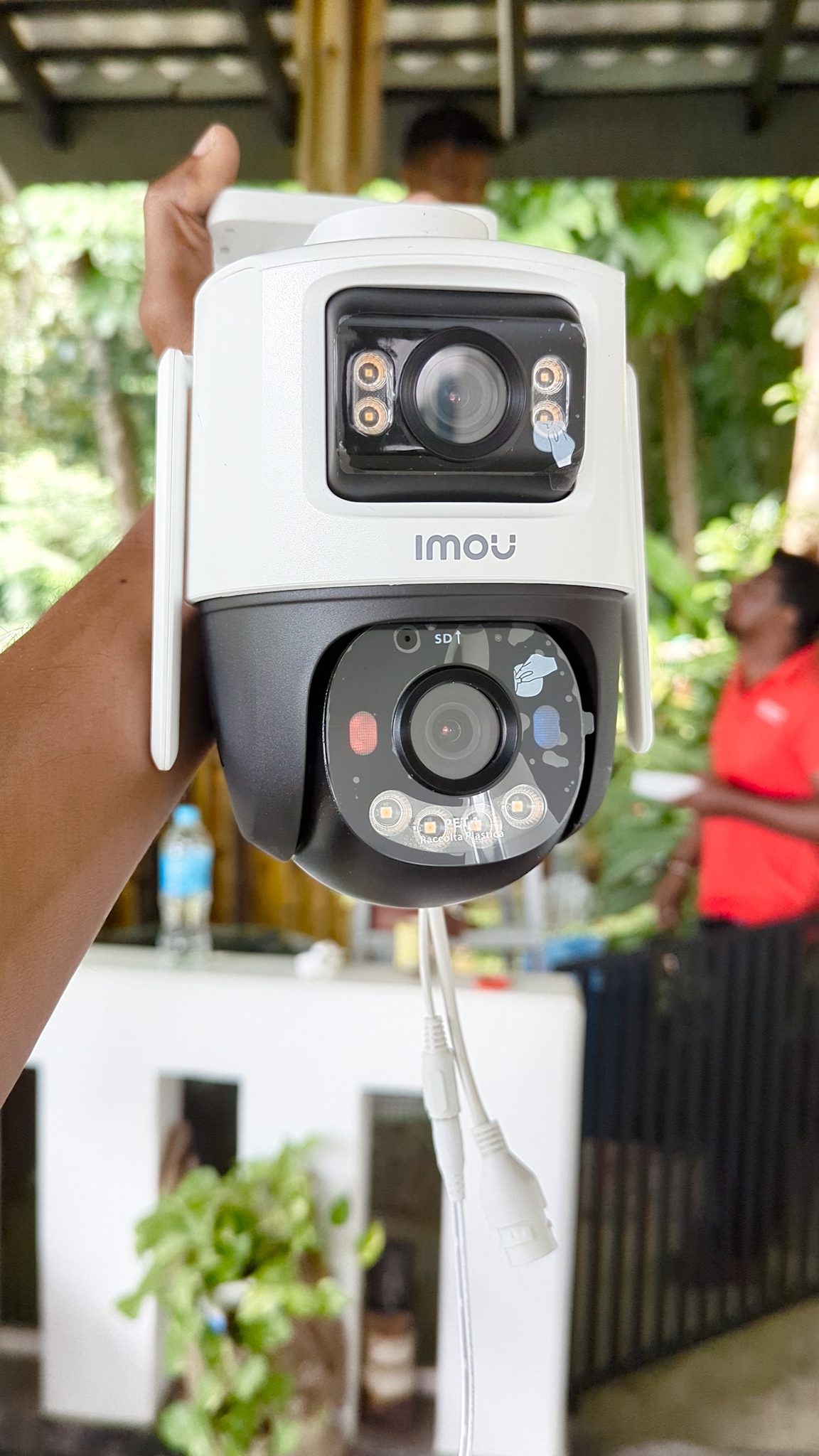
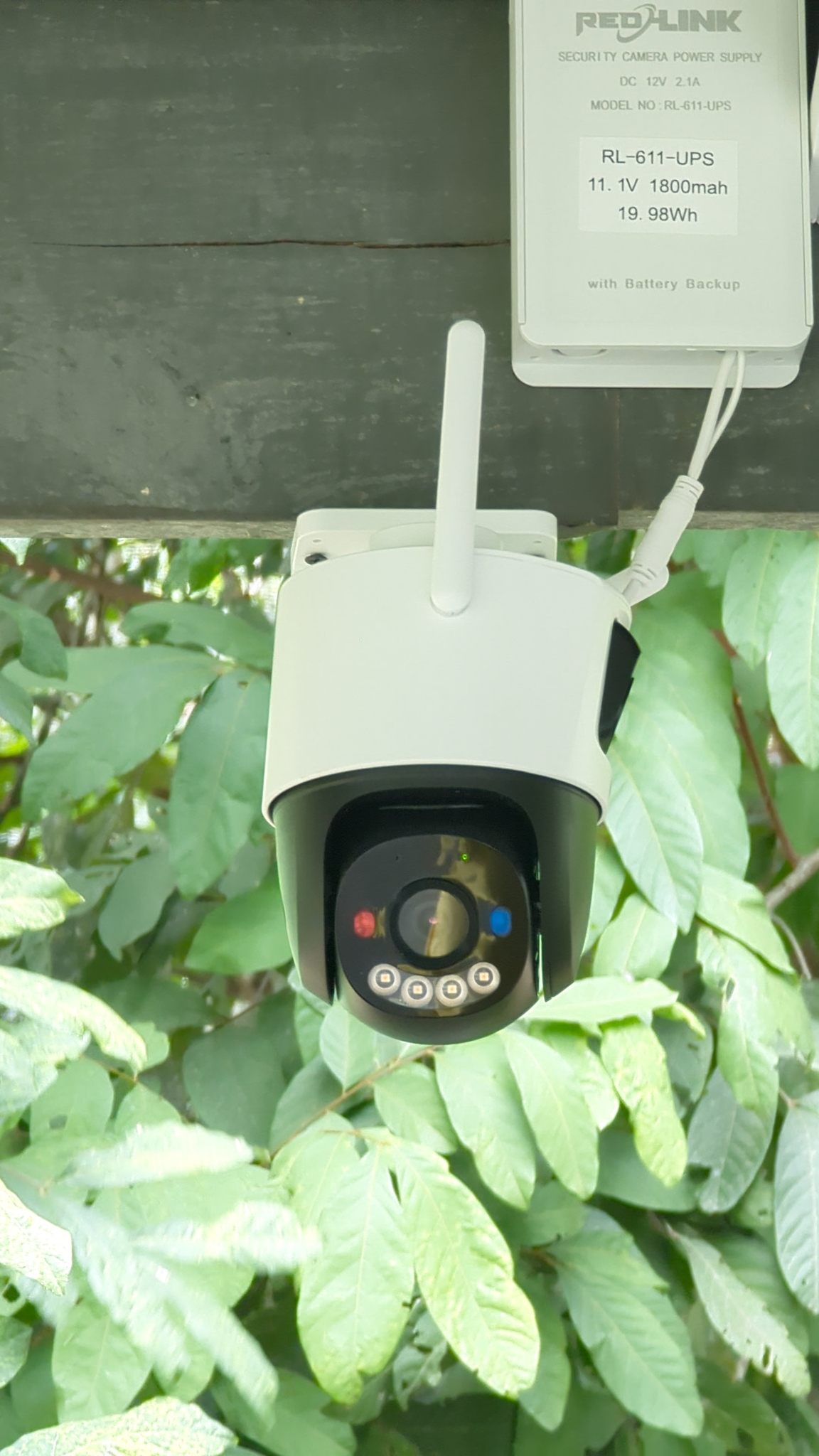
Here’s a look at our Unawatuna project from equipment unboxing to the finished installation. Both cameras were positioned to maximise dual-lens coverage, with the PTZ dome capturing wide-area movement and the fixed lens monitoring the primary entry point.
Why We Chose IMOU Cruiser Dual 2 for This Project
IMOU is a globally recognised smart home security brand — a subsidiary of Dahua Technology — known for producing feature-rich Wi-Fi cameras that are easy to install, simple to operate, and designed specifically for residential properties without complex wired infrastructure.
The IMOU Cruiser Dual 2 was the standout choice for this Unawatuna property for one compelling reason: two cameras in one housing. Instead of running two separate camera cables to cover one corner of the property, a single Cruiser Dual 2 mount delivers simultaneous dual-angle coverage — reducing installation complexity, cable runs, and mounting points.
IMOU Cruiser Dual 2 vs. Standard Single-Lens Wi-Fi Cameras
The Cruiser Dual 2’s defining advantage is its dual-lens architecture — a fixed wide-angle lens for the primary view and a PTZ (pan-tilt-zoom) motorised dome lens that can be remotely moved to follow motion or zoom in on specific areas. This makes it significantly more capable than conventional single-lens outdoor cameras at a comparable price point.
| Feature | IMOU Cruiser Dual 2 | Standard Single-Lens Wi-Fi Cam |
|---|---|---|
| Lenses | 2 (fixed + PTZ dome) | 1 |
| Resolution | 3MP + 3MP (6MP total) | 2MP–4MP |
| Night Vision | Full-color (warm LED) | IR (black & white) |
| Human Detection | Yes (AI) | Basic motion only |
| Active Deterrent | Red-blue warning lights | No |
| Remote PTZ | Yes (dome lens) | No |
| Two-Way Audio | Yes | Varies |
| App | IMOU Life | Varies |
For a property in Unawatuna where the homeowner wanted smart, app-controlled security with minimal cabling, the Cruiser Dual 2 was the optimal choice.
The UPS Power Backup — Why We Install It on Every Wi-Fi Camera
One of the most overlooked aspects of Wi-Fi camera installations is power continuity. Unlike wired DVR systems where a single centralised UPS can protect all cameras at once, each Wi-Fi camera draws power from its own individual power supply unit.
For this Unawatuna installation, we used dedicated 12V DC UPS battery backup power supplies at each camera:
- Output: 12V DC, 2.1A — perfect for the IMOU Cruiser Dual 2’s power requirement
- Battery: 11.1V 1800mAh lithium (19.98Wh) built-in
- Runtime: Approximately 30–60 minutes on battery during a power outage (depending on camera load)
- Auto-resume: Cameras stay online during outages and resume normal operation immediately when mains power returns
In coastal areas like Unawatuna — which can experience brief power interruptions during storms or maintenance work — this UPS backup is not an optional extra. It ensures the camera keeps recording and the motion detection system stays active precisely when you need it most.
Wired CCTV vs. Wi-Fi Cameras — Which Is Right for You?
Both systems have their place. Here’s an honest comparison to help you choose:
| Factor | Wi-Fi Cameras (IMOU) | Wired Analog CCTV (Hikvision) |
|---|---|---|
| Cable runs | Power only (no coax) | Coaxial + power to each camera |
| DVR required | No (cloud/SD card) | Yes |
| Internet needed | Yes — fibre recommended | No (local recording) |
| AI features | Built-in (human/vehicle) | Depends on DVR model |
| Remote PTZ | Yes (some models) | No (fixed cameras) |
| Installation complexity | Lower | Higher |
| Best for | Renovated homes, rental properties | New builds, large perimeters |
For this completed Unawatuna property — a finished home where running new coaxial cable through walls was impractical — Wi-Fi cameras were the clear right answer. The customer’s SLTMOBITEL fibre provided the reliable network foundation the IMOU system needs to operate at its best.
Our Wi-Fi Camera Installation Process
Every installation by US Layer follows the same structured process to ensure maximum coverage, clean workmanship, and a system that actually works reliably after we leave.
1. Internet & Network Assessment
Before recommending Wi-Fi cameras, we assess the customer’s internet connection speed, router placement, and Wi-Fi signal strength at the proposed camera positions. For this project, SLTMOBITEL fibre confirmed stable coverage at both mounting points.
2. Camera Position Planning
We survey the property to identify the optimal mounting positions for maximum field of view with minimum blind spots. For the Cruiser Dual 2, we plan for the fixed lens direction and the PTZ dome sweep arc simultaneously.
3. Power Supply & UPS Installation
Before mounting cameras, we install the 12V UPS power supply units at the mounting location — ensuring stable 12V DC power delivery and battery backup capacity at each camera point.
4. Camera Mounting & Wi-Fi Pairing
Cameras are drilled and anchored securely to eaves, beams, or masonry at the optimal height (typically 2.5–4 m). We pair each camera to the customer’s Wi-Fi network during installation and confirm stable signal strength before finalising the mount position.
5. IMOU Life App Setup
We download and configure the IMOU Life app on the customer’s smartphone — adding both cameras, configuring motion detection sensitivity, setting up human/vehicle detection alerts, enabling two-way audio, and demonstrating live view and recorded playback.
6. Active Deterrent & Alert Zones Configuration
We configure smart detection zones within the app — defining the specific areas of the frame where human or vehicle detection triggers an alert. This minimises false alarms from swaying tree branches or passing animals while ensuring genuine intrusion events are captured.
7. Final Check & Handover
We verify both camera streams are live, the UPS battery charges correctly, the motion detection alerts reach the customer’s phone, and the night vision full-color mode activates correctly at dusk. The customer leaves with full live-view access from day one.
Wi-Fi Camera Installation Service Areas — Galle District
US Layer installs and configures IMOU and other Wi-Fi smart camera systems across the Galle District and Southern Province, including:
- Unawatuna — villas, holiday homes, beachfront properties, guesthouses
- Galle City — residences, hotels, restaurants, commercial premises
- Hikkaduwa — surf guesthouses, restaurants, bungalows
- Baddegama, Koggala, Ahangama — suburban and rural residential properties
If you have fibre or high-speed broadband at your property in the Southern Province, a Wi-Fi camera system could be the ideal fit. Contact us for a free assessment.
Customer Benefits — Why Choose US Layer for Wi-Fi Camera Installation?
Buying a smart camera online is easy. Getting it to work reliably — with correct positioning, stable power, proper network configuration, and smart detection tuned to your property — is where professional installation makes all the difference.
- Network pre-check included — we confirm your broadband and Wi-Fi is suitable before recommending Wi-Fi cameras
- Genuine IMOU equipment — sourced from authorised distributors, full manufacturer warranty
- UPS power backup included — we spec and install battery backup as standard, not as an afterthought
- Full app setup on-site — IMOU Life configured and live on your phone before we leave
- Smart detection tuning — motion zones and human/vehicle detection calibrated for your property
- After-installation support — remote app troubleshooting and on-site revisits if needed
Frequently Asked Questions — Wi-Fi Camera Installation in Unawatuna
Do I need fibre internet for IMOU cameras to work?Fibre broadband is strongly recommended for the most reliable performance. IMOU cameras stream HD video continuously, which requires a stable upload connection. SLTMOBITEL fibre, Dialog fibre, or SLT fibre all provide the bandwidth and stability needed. If you only have ADSL or a 4G mobile connection, we’ll assess whether it’s sufficient before recommending Wi-Fi cameras.
How many Wi-Fi cameras can my router support?A modern Wi-Fi 6 router on fibre can typically support 4–8 cameras without issues. Older Wi-Fi 4 (802.11n) routers may struggle with 2 or more simultaneous HD streams, causing stuttering or disconnections. This is exactly why we check your router before installation.
What happens to my cameras during a power cut?With the 12V UPS battery backup units installed at each camera, both cameras remain powered and continue recording for approximately 30–60 minutes during a mains power outage. When power is restored, the UPS automatically resumes charging and the cameras continue as normal.
Can I view both lenses of the IMOU Cruiser Dual 2 simultaneously?Yes. The IMOU Life app shows both camera streams from a single device in a split view — the fixed wide-angle lens and the PTZ dome. You can also pan, tilt, and zoom the PTZ dome remotely from anywhere in the world using the app.
Does IMOU store footage in the cloud?IMOU supports both local SD card storage (up to 256GB per camera) and optional IMOU cloud subscription storage. For this installation we used SD cards for local storage — no subscription needed for basic 24/7 recording and motion event clips.
How far can the IMOU Cruiser Dual 2 see at night?The Cruiser Dual 2’s full-color night vision uses built-in warm LED lights to illuminate up to approximately 25–30 metres in full color. Unlike IR cameras that produce black-and-white night footage, you get usable color detail for identification of clothing, vehicle color, and facial features.
What is the warranty on IMOU cameras?IMOU cameras come with a standard 24-month manufacturer warranty.
Interested in Wi-Fi Camera Installation in Unawatuna or the Galle District?
Contact us for a free site assessment. We'll check your broadband, map your coverage requirements, and provide a no-obligation quote.
IMOU Cruiser Dual 2 dual-lens Wi-Fi security camera installation project completed by the US Layer technical team in Unawatuna, Galle District, Sri Lanka.